
Emlid Flow 360 | Cloud-Based Survey Data Management for GNSS Professionals
With Emlid Flow 360, you can prepare for the fieldwork from the comfort of your office—create a project, configure the coordinate system, choose a code library or upload a new one, or just import all the necessary data. It is immediately available inside the Emlid Flow app.
Emlid Flow handles all the fieldwork: data collection, coding, linework, and staking; while keeping your data in sync with Emlid Flow 360. Access your projects from the browser, manage code lists, and coordinate systems.
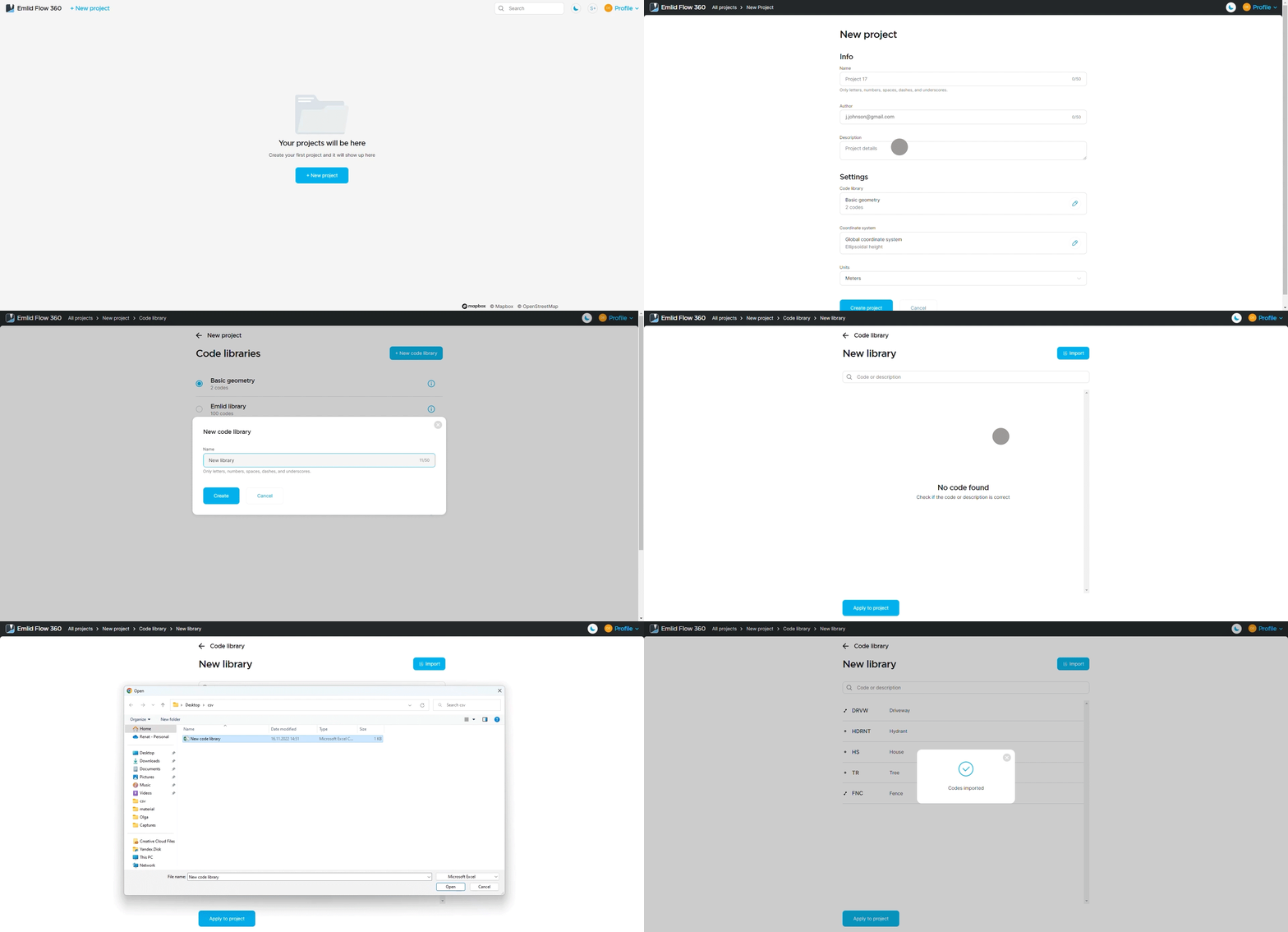
Forget about manually transferring files from controllers – Emlid Flow works offline and synchronizes data to Emlid Flow 360 as soon as your phone is back online.
When the fieldwork is done, forget about manually transferring files from controllers – just log in at Emlid Flow 360, and all your field data is safely backed up here. The app can work offline and synchronize data to Emlid Flow 360 as soon as your phone is back online. From the cloud service, you can export or import projects in DXFs, Shapefiles, and flexible CSVs just like in Emlid Flow.
In the following video of Emlid Flow 360, Alistair points out some of the key features that we use for our projects.
Want to learn more about Emlid Flow 360?
Contact the Mangoesmapping team for expert advice, demonstrations, or support with Emlid GNSS solutions.